

Listen to this podcast for free in the app: Download for free in the App Store
radio.net
Sleep timer
Save favourites
iSee - Using various technologies from a blind persons perspective.
David Woodbridge
Latest episode
66 episodes
What it is like using JAWS with the BrailleNote Evolve
2026/06/22 | 38 mins.In other words, using JAWS on the Evolve is just like using JAWS on a Windows laptop with some things to be aware of: different way of doing numbers, function keys mainly.Braille Note Evolve demo 5 - using Braille on the Braille Note Evolve
2026/05/07 | 30 mins.In this demo, I explain how to choose your preferred reading input and output table, and then have a bit of a play around with the Braille Editor, and Word.Braille Note Evolve demo 4 - a quick review of Quick Settings, and then handy KeySoft, NVDA, and Window commands
2026/05/04 | 23 mins.Along with mentioning the KeySoft Options menu, KeySoft Control Centre, and the NvDA categories screen (also accessed via the Options menu), before getting on to the handy keyboard commands, I give you a quick run through of the Quick Settings screen.
handy keyboard commands
Stop speech BackSpace Enter great if modifier keys disabled or Control.
If in computer Braille: add space to commands.
Backspace: Backspace (key 7.
Enter: Enter (key 8).
Escape: Escape key.
Delete: delete key.
Move cursor to item on Braille display: auto cursor buttons.
Arrow keys: Left, Right, Up, and Down.
Thumb keys (left to right: Previous, Pan previous, Home, Pan next, Next.
Keyboard help: BackSpace+Space+K.
Numbers: FN+computer braille numbers 1 to 0.
Function keys: FN+letters a to l.
Time: NVDA+FN+l or Enteer+t.
Date: NVDA+FN+l (twice).
Power: Enter+p.
Window title: NVDA+t.
Read all controls in window: NVDA+b.
Read continuously: NVDA+a.
Toggle Braille: BackSpace+Space+g.
Toggle speech: NVDA+s.
Braille keyboard input navigation
Previous/next character: Space+3-6.
Previous/next word; Space+2-5.
Previous line: Space+1-4.
Quit app: Alt+F4: Space-E or FN+Alt+d.
Context menu: Space+M or FN+Shift+j.
Previous/Next tab: Space+12-45.
Home/End: Enter+13-46.
Top/bottom: 123-456.
Keyboard input
Previous/next character: Left-Right arrow.
Previous/next word: Control+Left-Right arrow.
Previous/next line: UpDdown arrow.
NVDA
NVDA: NVDA+n.
Quit NVDA: NVDA+q.
FN+t: Standard/Perkins keyboard toggle.
Windows Keys:
Desktop: Win+d.
Minimise to desktop: Win+m.
Task bar: Win+t.
System tray: Win+b.
Settings: Win+i.
Run: Win+r.
Explorer: Win+e.
Narrator: Control+Win+Enter.
FN+t: toggle between standard and Perkins keyboard.Braille Note Evolve demo 3 - how to get to the NVDA settings from the KS Main Menu and how to get back to the Main Menu if you pop in to Windows by accident
2026/05/03 | 13 mins.How to access the NVDA Settings from the KeySoft Main Menu Options, and how to get back to the Main Menu if you pop in to Windows.Braille Note Evolve demo 2 - KeySoft Main Menu Options, KeySoft Control Centre, and exiting KeySoft Main Menu
2026/05/02 | 20 mins.In this demo, how to access the Main Menu Options, KeySoft Control Centre, and how to exit the Main Menu By the way two things I slightly forgot to say key 7 and 8 to the left and right of the Perkins 6 key keyboard, and the all 8 dots is not the end of the menu, its to show that the item is a folder: whoops, but I explain both in the demo.
More Technology podcasts
 All-In with Chamath, Jason, Sacks & FriedbergBusiness, Entrepreneurship, Health & Wellness, Investing, Technology
 AcquiredBusiness, Investing, Technology
 Search EngineBusiness, Society & Culture, Technology
 Hard ForkTechnology
 Deep Questions with Cal NewportEducation, Self-Improvement, Technology
 Claude AI Genius Podcast w/ Claude Anthropic Expert Brandon GailleBusiness, Marketing, Technology
 The AI Daily Brief: Artificial Intelligence News and AnalysisTechnology
 Dwarkesh PodcastScience, Technology
 Waveform: The MKBHD PodcastHobbies, Leisure, News, Tech News, Technology
 The VergecastNews, Tech News, Technology
Trending Technology podcasts
 Triple ClickArts, Society & Culture, Technology
 This Week in Tech (Audio)News, Tech News, Technology
 What's Next with Aki AnastasiouTechnology
 American Alchemy with Jesse MichelsScience, Society & Culture, Technology
 Reply AllDocumentary, Society & Culture, Technology
- Dwarkesh PodcastScience, Technology
 Terms of Service with Clare DuffyBusiness, Technology
 AI + a16zBusiness, Entrepreneurship, Technology
 Infinite LoopsBusiness, Entrepreneurship, Technology
 There Are No Girls on the InternetSociety & Culture, Technology
 What's Your Problem?Business, Entrepreneurship, Technology
 Everyday AI Podcast – An AI and ChatGPT PodcastBusiness, Entrepreneurship, News, Tech News, Technology
About iSee - Using various technologies from a blind persons perspective.
Interesting tech stuff that I find useful
Podcast websiteListen to iSee - Using various technologies from a blind persons perspective., All-In with Chamath, Jason, Sacks & Friedberg and many other podcasts from around the world with the radio.net app
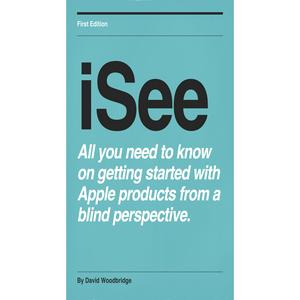
Get the free radio.net app
- Stations and podcasts to bookmark
- Stream via Wi-Fi or Bluetooth
- Supports Carplay & Android Auto
- Many other app features
Get the free radio.net app
- Stations and podcasts to bookmark
- Stream via Wi-Fi or Bluetooth
- Supports Carplay & Android Auto
- Many other app features
iSee - Using various technologies from a blind persons perspective.
Scan code,
download the app,
start listening.
download the app,
start listening.
 South Africa